
The Secret to Choosing a Linux Distro: It’s Not About the Distro at All

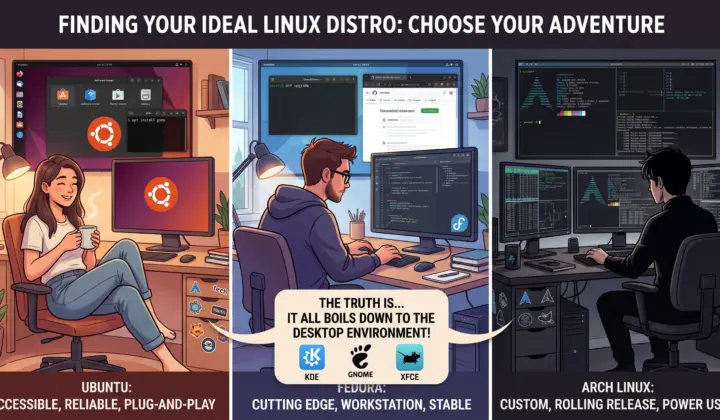
When you first decide to make the leap to Linux, the sheer number of choices is paralyzing. You are immediately bombarded with strange names, tribal debates, and endless tier lists. Should you use something Debian-based? Is RPM better? What on earth is a rolling release?
Here is the open-source community’s worst-kept secret: unless you are maintaining servers or building deep-level system architecture, the underlying Linux distribution matters far less than you think. What actually dictates your daily computing experience is the Desktop Environment (DE).
Understanding the Plumbing vs. The Paint
Think of the distribution—the actual Ubuntu, Fedora, or Arch part—as the engine and plumbing of your operating system. It dictates how you install software (via package managers like apt, dnf, or pacman) and how fresh your software is. But you don’t interact with the plumbing every day. You interact with the interface.
The Desktop Environment is your steering wheel, your dashboard, and your workflow. It is the window manager, the taskbar, the system settings, and the file explorer. When a new user says they “hate Ubuntu” or “love Linux Mint,” 90% of the time, they are actually reacting to the Desktop Environment shipped with that distro.
Choosing Your Desktop Environment First
Instead of starting with the distribution, start by identifying how you like to interact with your computer.
- KDE Plasma: If you want absolute control over every pixel, widget, and shortcut, this is your home. It offers a familiar, traditional layout but allows you to tweak everything from window animations to modern Wayland compositing behaviors. It is a powerhouse for developers and power users who want their machine to adapt to them, not the other way around.
- GNOME: If you prefer a focused, distraction-free workflow that relies heavily on keyboard navigation and virtual workspaces, GNOME shines. It is opinionated, polished, and operates with a philosophy closer to macOS.
- XFCE or Cinnamon: Perfect if you want a rock-solid, traditional desktop that stays out of your way, uses minimal system resources, and feels instantly familiar.
How to Find Your Perfect Match
Once you know what kind of workflow you want, then you pick the distro that delivers it best.
If you realize you love the endless customization of KDE Plasma and want fresh, modern software updates without the high-maintenance anxiety of a rolling release, grabbing a spin like Fedora KDE Edition becomes the obvious choice. If you want GNOME with maximum commercial support and plug-and-play proprietary drivers, standard Ubuntu makes sense.
The best way to test this without commitment is by creating a “Live USB.” Flash a few different DE flavors onto a thumb drive, boot them up, and test the waters without touching your hard drive. Focus on how the windows snap, how the menus feel, and whether the workflow clicks with your brain. The perfect Linux setup isn’t the one with the most elite reputation—it’s the one that gets out of your way so you can do your work.
Written by Eyad Salah
Founder of ComputerJy World, sharing tech tips, software tools, and digital insights since 2007. Passionate about modern web architecture and user experience.
Related Articles
Discussion (0)
Powered by WordPress✍️ Leave a Thought
Your email address will not be published. Required fields are marked *