ComputerJy World
Tag Archive

#Freeware

Articles tagged with #Freeware on ComputerJy World.

GeekyWhy are there too many Linux Distros
4 min read

Why are there too many Linux Distros

Linux (/ˈlinəks/) is An open-source version of the UNIX operating system. It’s kind of a big deal for Servers Mainframes and Super computers. More than 90% of today’s super computers run on a some kind of Linux. Also many small devices run on Linux even if you can’t tell they do… for example the Android […]

Eyad SalahEyad Salah
Read →
GeekySpeed up Windows boot time
3 min read

Speed up Windows boot time

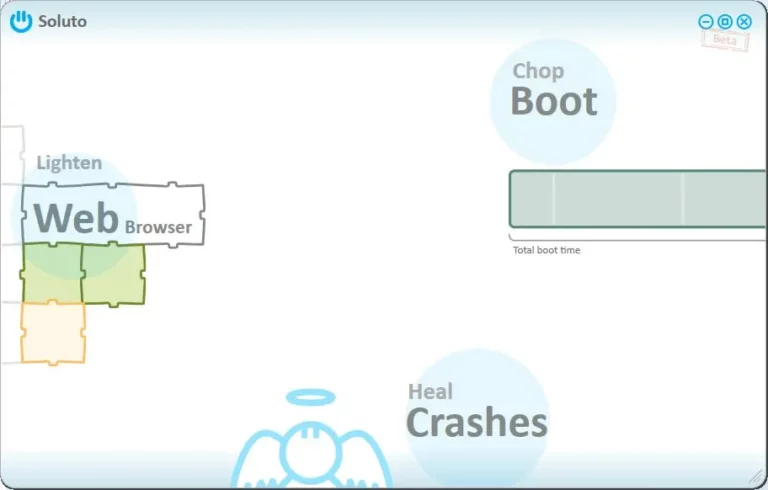
Every time I install windows on my computer I notice it’s booting up and starting up really fast, might be done in less than a minute actually. Later, about a month or 2 (Or sometimes less) you have to notice the startup time is really increasing. When I was younger I used to reformat my […]

Eyad SalahEyad Salah
Read →
EntertainmentToo much defrag
1 min read

Too much defrag

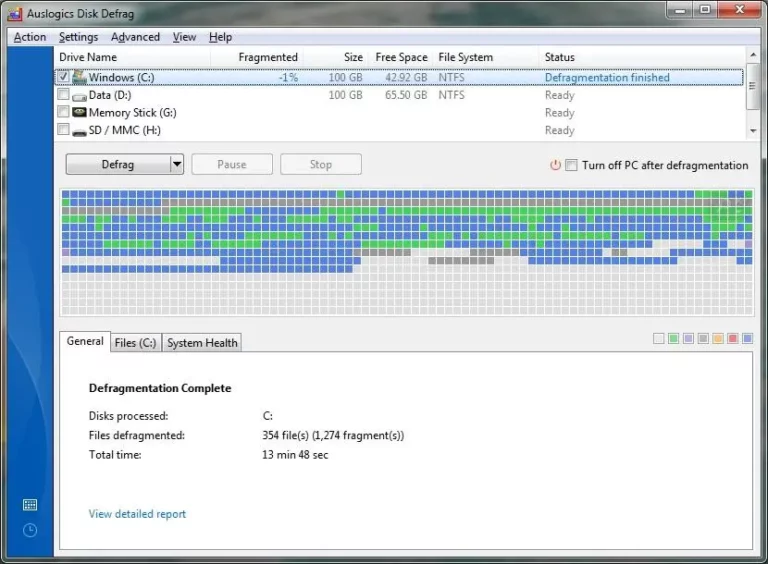
I’ve installed windows on my computer a couple of days ago, installed all my software and decided it was time to defrag the windows disk I used Auslogics disk defrag and tried the “Defrag & Optimize” option. Looks like it did it job a little too well

Eyad SalahEyad Salah
Read →
GeekyMicrosoft Security Essentials. How secure is it?
3 min read

Microsoft Security Essentials. How secure is it?

Well, I’ve been using the Microsoft product ever since it was a private beta. I liked it, because it was smooth and light on my computer. Today is occurred to me. How secure is actually is. So I looked up for some tests and came across The “Firewall Leakage Tester” a small but really useful […]

Eyad SalahEyad Salah
Read →
Geeky.Net Obfuscation
1 min read

.Net Obfuscation

For everyone out there looking for good Obfuscation for Microsoft .NET binaries, You might want to try Eazfuscator.NET. It’s really good, really easy to use and FREE

Eyad SalahEyad Salah
Read →
GeekyFix Unresponsive or Frozen Linux Computers using Shortcuts
5 min read

Fix Unresponsive or Frozen Linux Computers using Shortcuts

Linux systems are known for their stable operation, designed to be operational without reboot for years. However if you still manage to pull a string and freeze up your computer there are quite a few ways to get the system back to work. You can login to a virtual console, use pgrep and pkill, use […]

Eyad SalahEyad Salah
Read →
GeekyApple receives patent for the OS X dock
1 min read

Apple receives patent for the OS X dock

Apple has received a patent for the dock utility for launching applications in OS X. Yes, the dock has been around for the better part of a decade, but Apple applied for the patent back in 1999 and didn’t receive it until this week. The patent describes an interface for consolidating frequently used items in […]

Eyad SalahEyad Salah
Read →
GeekyWhy Linux isn’t the best option for me
2 min read

Why Linux isn’t the best option for me

Linux, specifically Ubuntu, is a brilliant operating system. I’ve used quite a few distributions of Linux. Including: Ubuntu Kubuntu OpenSuse DSL (Damn Small Linux) Knoppix And more. As you can see, by my old posts, showing shots of my Ubuntu Desktop, I have tried to use Linux as my main operating system. Yes, for some […]

Eyad SalahEyad Salah
Read →
GeekyMore reasons why Linux has failed on the desktop
3 min read

More reasons why Linux has failed on the desktop

Linux enthusiast Gary Nielsen has listed a few reasons why his desktop is still running the Windows Vista operating system and not an Open Source alternative. His top reason really goes back to my most recent post on this subject: Why Linux will always be stuck in the minority. (lack of good commercial software on […]

Eyad SalahEyad Salah
Read →
GeekyDesktop search engines
2 min read

Desktop search engines

When the topic of desktop searching is brought, Google desktop and maybe Microsoft "Windows Search" are the only 2 competing software available both for windows only. I’ve tried both of the for a while now and I think I made up my mind when it comes to judging the 2 famous desktop searches. Starting with […]

Eyad SalahEyad Salah
Read →
GeekyAudacity – The Free, Cross-Platform Sound Editor
1 min read

Audacity – The Free, Cross-Platform Sound Editor

Audacity is free, open source software for recording and editing sounds. It is available for Mac OS X, Microsoft Windows, GNU/Linux, and other operating systems. Learn more about Audacity… Also check our Wiki and Forum for more information. The latest release of Audacity is 1.3.4 (beta). Because it is a work in progress and does […]

Eyad SalahEyad Salah
Read →
GeekyPopup blocker tester
1 min read

Popup blocker tester

As you might know, all modern web browsers contain a built-in popup blocker. But the real question is "Does it really work?". This is where our friends at PopupTest.com come in handy. This web site enables you to test your browser against various techniques of popup spamming. And if your browser fails in any of […]

Eyad SalahEyad Salah
Read →
GeekyOpen source software for Windows
1 min read

Open source software for Windows

Open source projects are usually free, and more stable than small commercial software. But that’s not always true. Anyway if you’re looking for open source software to use on Windows you can check out the list below Web browsers: FireFox: one of the best browsers out there. Video players: Miro: Plays almost all video types, […]

Eyad SalahEyad Salah
Read →
GeekyWhy use FireFox
3 min read

Why use FireFox

If you are using IE and you need a browser that doesn’t crash, read the following: A Better Web Experience Firefox 1.5 has an intuitive interface and blocks viruses, spyware, and popup ads. It delivers Web pages faster than ever. And it’s easy to install and import your favorites. Packed with useful features like tabbed […]

Eyad SalahEyad Salah
Read →
GeekyBoost your FireFox
1 min read

Boost your FireFox

If you’ve never used about:config, you’re missing out. Type about:config into your Firefox address bar and hit Enter. One easy configuration change is limiting animated images. Double-click image.animation_mode and change it to none to stop all animated images, or once to let them run through once. You can revert to the default behavior with normal. […]

Eyad SalahEyad Salah
Read →
GeekyWindows Live Writer
2 min read

Windows Live Writer

Again, Microsoft is giving Developers the chance to show off their abilities. Even though it’s not a big field to play in, still they are proving the customizability of their products , especially windows live products. The new “Windows Live Writer” – which I’m now using to send this post – is one of the […]

Eyad SalahEyad Salah
Read →
Suggested Articles⌘K anytime