
Reclaiming the Web: Why Brave, Firefox, and the New Wave of Privacy Browsers Matter More Than Ever

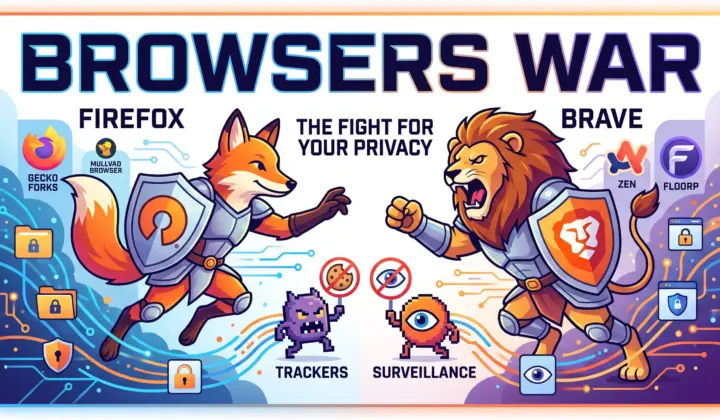
Every day, the modern web becomes more interconnected, capable, and complex. Yet alongside the incredible conveniences of web apps and instant communication lies a persistent challenge: ubiquitous commercial surveillance. Between cross-site trackers, silent behavioral profiling, and device fingerprinting scripts, navigating the internet often means having your digital footprint harvested without your meaningful consent.
Fortunately, internet users are not without options. The privacy-oriented browser ecosystem is experiencing a renaissance. Leading the charge are two established champions—Brave and Mozilla Firefox—supported by an inventive new wave of Firefox-based browsers that are reimagining modern user interfaces.
While both Brave and Firefox have encountered public controversies and commercial growing pains along the way, their core architectures, transparent corrections, and unwavering commitment to consumer privacy make them indispensable defenders of an open digital world.
Brave Browser: Turnkey Privacy with Chromium Speed
Brave has established itself as a powerhouse in consumer privacy, reaching more than 100 million monthly active users. Built on top of the open-source Chromium engine, Brave provides the instant rendering performance and broad website compatibility that mainstream users expect, while actively stripping out Google telemetry, user tracking hooks, and background diagnostic services.
Key Features Under the Hood
- Native Brave Shields: Instead of relying only on JavaScript add-ons to block trackers, Brave integrates its filtering engine directly into its network stack using high-performance Rust. By parsing EasyList, EasyPrivacy, and uBlock filter rules natively, Brave stops ads and trackers before network packets even execute. Because this blocking takes place at the engine layer, Brave’s native protections remain entirely untouched by Google’s Manifest V3 extension limitations.
- Dynamic Fingerprint “Farbling”: Rather than attempting to block device fingerprinting outright—which can break complex web layouts—Brave uses a technique called “farbling”. The browser injects imperceptible, per-session, per-site pseudo-random noise into canvas rendering, WebGL draws, and audio contexts. This invalidates tracking hashes used by fingerprinting scripts like FingerprintJS while keeping websites visually and functionally intact.
- Ephemeral Storage Partitioning: To counter sneaky cross-site tracking, Brave isolates third-party storage frames into temporary, siloed compartments that are automatically wiped when you close the session.
- Integrated Anonymity: Brave features an integrated “Private Window with Tor,” allowing users to route sensitive sessions through the Tor onion network with a single click.
Acknowledging Controversies: Resilience Through Open Feedback
Brave’s journey has not been without missteps. In 2020, users noticed that address bar autocomplete began appending affiliate referral codes to specific cryptocurrency exchanges such as Binance and Coinbase. Around the same period, Brave Rewards drew critique when users discovered they could tip content creators who had not yet formally opted into the system. Later, in 2023, privacy advocates discovered that Windows installations registered background services for Brave’s paid WireGuard VPN without an explicit opt-in during setup.
What makes Brave noteworthy, however, is its responsiveness. CEO Brendan Eich quickly owned up to the affiliate URL autocomplete issue, explaining the technical root cause and promptly pushing an update to make referral behaviors strictly opt-in. The Rewards interface was overhauled to clearly demarcate unverified creators and return unclaimed tokens. When the VPN service installer sparked backlash, Brave engineering openly engaged on GitHub and committed to isolating those binaries so they download and register only when a user explicitly chooses to purchase and use the VPN.
Brave’s willingness to listen and course-correct has kept it a trusted everyday tool, proving that privacy can be seamless, high-speed, and accessible out of the box.
Mozilla Firefox: The Bedrock of Engine Diversity and Add-On Power
If Brave represents the pinnacle of out-of-the-box Chromium hardening, Mozilla Firefox represents something equally vital: the preservation of an independent open web. Powered by the Gecko layout engine and the SpiderMonkey JavaScript runtime, Firefox stands as the only major desktop rendering alternative to the Chromium monoculture.
Key Features Under the Hood
- Total Cookie Protection (TCP): Enabled by default, Total Cookie Protection confines every website to its own isolated “cookie jar”. Trackers placed on one site cannot see or correlate cookies deposited on another, neutralizing cross-site commercial profiling without degrading typical login flows.
- Full Support for Manifest V2 & Advanced Filtering: When the broader industry adopted Manifest V3 and restricted dynamic request modifications, Mozilla took a user-first stance: it supported Manifest V3 while deliberately preserving the blocking
webRequestAPI. This ensures that comprehensive content filters like Raymond Hill’s full uBlock Origin retain uninhibited dynamic scriptlet filtering, cosmetic element hiding, and unlimited custom rules. - Multi-Account Containers: Firefox lets you segregate work accounts, social media profiles, and personal banking into distinct contextual tabs within the exact same window, making identity management effortless.
Acknowledging Controversies: Navigating the Business of Privacy
Mozilla faces unique economic realities, relying heavily on search-engine royalty agreements with Google to fund foundational engine development. Seeking to diversify and build sustainable models, Mozilla has occasionally tried features that stirred community debate. These have included sponsored tiles on the new tab page, promotional prompts for Mozilla VPN, and default Pocket integration.
More recently, in mid-2024, Firefox 128 shipped with a prototype of the Privacy-Preserving Attribution (PPA) API enabled by default. Designed alongside Meta in the W3C, PPA aims to provide advertisers with aggregate conversion statistics using differential privacy rather than invasive third-party tracking cookies. The decision to enable it by default drew criticism and a formal GDPR complaint from European advocacy group NOYB, which maintained that users should explicitly opt into any ad-measurement systems.
Mozilla transparently explained its intentions: trying to build practical, cryptographic alternatives that persuade advertisers to abandon invasive cookies altogether. Importantly, Firefox maintains a clear toggle in settings allowing users to turn off PPA instantly. Firefox’s steadfast existence protects web standards from unilateral control, providing the open foundation upon which an entire universe of independent browsers depends.
The Gecko Renaissance: Fresh Innovations from Firefox Forks
Because Firefox is open-source, developers around the world have used the Gecko platform to pioneer exciting designs and specialized privacy workflows. These derivative browsers bring distinct advantages to today’s market:
1. Mullvad Browser: The Anti-Fingerprinting “Herd”
Developed through an official partnership between Mullvad VPN and the Tor Project, Mullvad Browser takes the industry-leading anti-fingerprinting protections of the Tor Browser and strips away the onion-routing network.
- The “Hide in the Crowd” Approach: While Brave randomizes identifiers, Mullvad Browser makes every user look identical. It standardizes fonts, locks internal clocks to UTC, strips hardware APIs (like WebGL readPixel, gamepads, and device sensors), and employs letterboxing—padding web pages with quantized margins so window resizing never reveals your true monitor dimensions.
- High-Speed Clearnet Protection: Tor Browser provides unmatched anonymity, but its three-hop onion routing can introduce latency and trigger security CAPTCHAs. Mullvad Browser delivers Tor’s hardened fingerprint defenses at native broadband speeds, designed to be paired with any reputable VPN or direct internet connection.
- Permanent Private Mode: It saves no browsing history, leaves no cookies between sessions, strips upstream telemetry at compile time, and bundles uBlock Origin and NoScript right out of the box.
2. Zen Browser: Calm Ergonomics and Modern Multitasking
Launched in 2024, Zen Browser quickly gained acclaim as the privacy-respecting, Gecko-powered answer to interface innovators like Arc.
- Ergonomic Workspaces & Vertical Tabs: Zen replaces horizontal tab clutter with a sleek vertical sidebar and customizable Workspaces, allowing you to neatly separate work projects, personal reading, and school tasks.
- Zen Glance & Split View: With Zen Glance, holding a shortcut lets you preview links inside a modal window without cluttering your tabs. Built-in Split View lets you dock up to four websites side-by-side in a responsive grid within a single window.
- A Google-Free, Clean Foundation: Zen removes upstream Mozilla telemetry and sponsored placements, features an auto-collapsing Compact Mode, and supports user-crafted interface styling through Zen Mods—all while maintaining complete compatibility with Firefox Sync and Firefox add-ons.
3. Floorp: The Ultimate Power-User Workstation
Built by the Japanese engineering collective Ablaze, Floorp is designed for users who want maximum customization and productivity.
- Collapsible Web Panels: Floorp features a persistent sidebar where you can pin web applications—such as translation tools, notes, or collaborative chat apps—letting you interact with them without leaving your primary active webpage.
- Flexible 4-Way Split View: Floorp includes native split-screen browsing for up to four pages simultaneously, allowing for seamless side-by-side research, writing, and cross-referencing.
- Integrated Container Workspaces: While standard Firefox handles multi-account containers primarily via pop-up tabs, Floorp weaves container profiles directly into workspaces and web panels for effortless context isolation.
Comparative Overview
| Browser | Engine Base | Core Privacy & Security Architecture | Standout Innovation | Best For |
| Brave | Chromium (Blink) | Native Rust Shields, Farbling randomization, Ephemeral storage | Unaffected by Manifest V3; integrated Tor private windows | Turnkey speed, broad compatibility, and effortless blocking |
| Firefox | Gecko & SpiderMonkey | Total Cookie Protection, Container tabs, Enhanced Tracking Protection | Preserving the blocking webRequest API for full uBlock Origin support | Independent engine diversity and unrestricted extension power |
| Mullvad Browser | Hardened Gecko (Tor Project) | Standardized uniform fingerprint, Letterboxing, Stateless private sessions | Tor-grade fingerprint resistance without the latency of onion routing | High-assurance privacy sessions on clearnet or commercial VPNs |
| Zen Browser | Gecko | Telemetry-stripped, Enhanced Tracking Protection, Firefox Sync | Vertical tabs, Workspaces, Zen Glance previews, and Split View | Modern, calm tab organization and Arc-style productivity |
| Floorp | Gecko | Firefox-based container isolation, Zero telemetry, Custom script control | Dockable Web Panels, 4-way Split View, and mouse gestures | Advanced power users needing expansive desktop multitasking |
The Verdict: Celebrating Browser Diversity
When choosing a privacy-respecting browser, there is no need to pick a single winner. Every one of these tools pushes the web toward greater respect for digital dignity:
- Choose Brave when you want blazing-fast Chromium compatibility, built-in protection against ad tracking that ignores Manifest V3 restrictions, and minimal setup.
- Choose Firefox when you want to support an open and competitive internet, maintain full control over your favorite ad-blocking extensions, and keep big-tech monopolies in check.
- Choose Mullvad Browser when your session demands uniform fingerprinting defense and clean stateless browsing at standard broadband speeds.
- Choose Zen Browser or Floorp when you want the privacy and engine independence of Firefox wrapped in cutting-edge tab management, vertical workspaces, and modular multitasking panels.
The web is at its best when users have the freedom to choose tools that respect their time, attention, and privacy. By supporting and using these platforms, we actively vote for a more open, private, and human-centered internet.
Written by Eyad Salah
Founder of ComputerJy World, sharing tech tips, software tools, and digital insights since 2007. Passionate about modern web architecture and user experience.
Related Articles
Discussion (1)
Powered by WordPressThis is a test comment
✍️ Leave a Thought
Your email address will not be published. Required fields are marked *