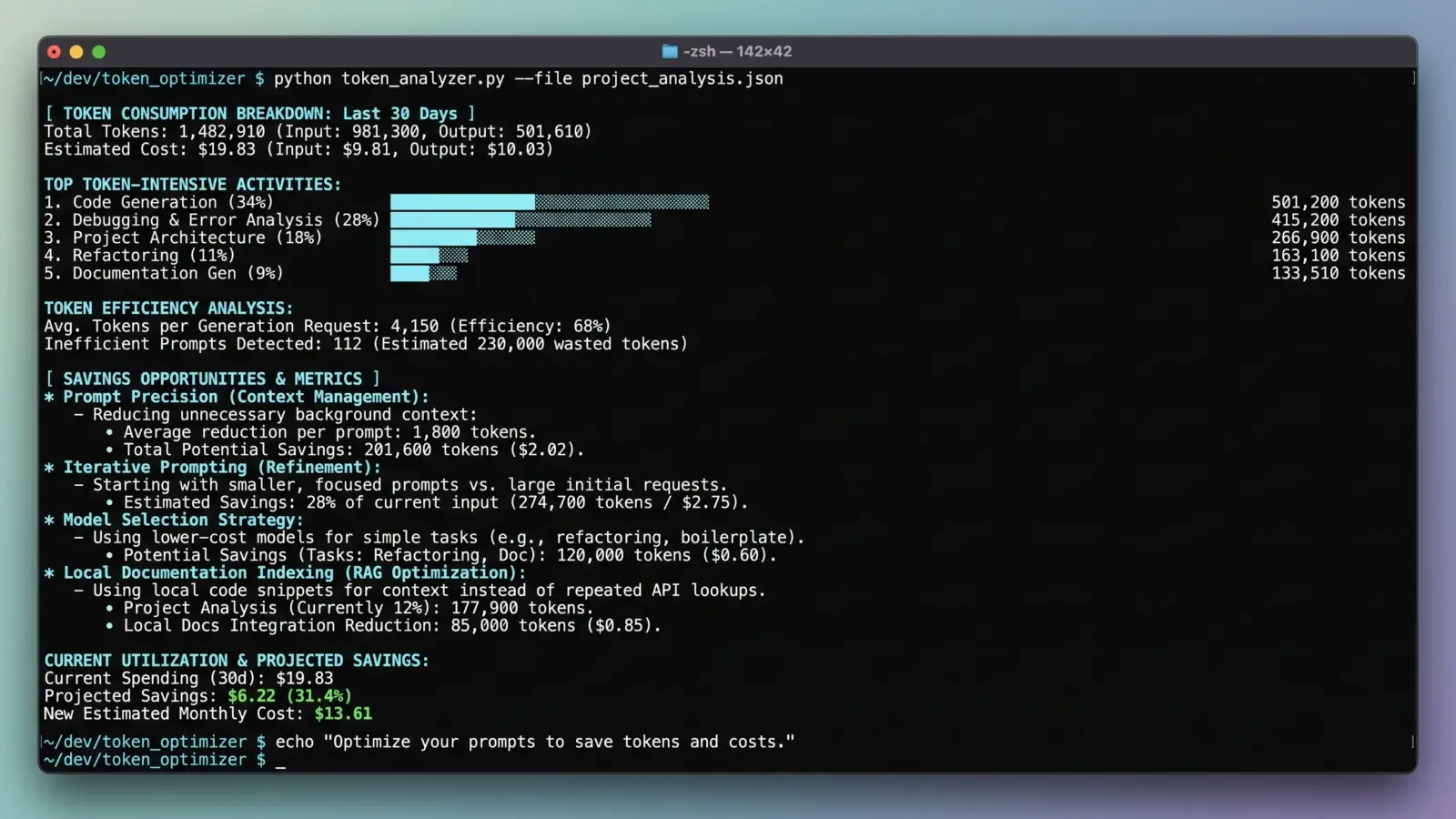

Most developers using AI coding assistants treat the context window like an infinite junk drawer. They highlight three thousand lines of code, drag four related services into chat, and ask the model to rename an interface.
Thirty seconds later, they have their answer. They also just burned 45,000 input tokens on a three-token diff.
If you want to save tokens when coding with AI, you have to stop treating context as free. Whether you are footing a personal API bill on Claude 3.5 Sonnet, sharing a pooled team tier in Cursor, or piping LLMs into custom CLI agents, unmanaged context costs real money. Worse, stuffing extraneous code into your prompt actively degrades reasoning performance—a phenomenon researchers call the “needle in a haystack” drop-off.
Cutting token consumption does not mean starving the model of vital facts. It means developing deliberate context hygiene.
1. Stop Pasting Whole Files: Pass Signatures and Interfaces
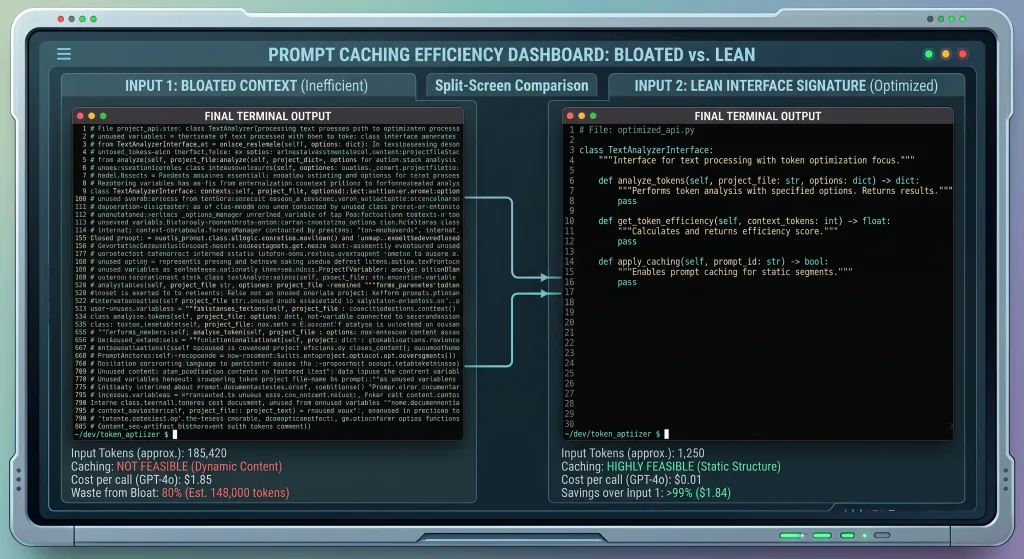
Language models rarely need your entire 800-line implementation file to write a consumer function or unit test. What they need is the contract.
When you feed an LLM full function implementations, you force it to parse internal control flow, local variables, and private helpers that have nothing to do with the caller’s interface.
Instead of dumping whole files:
- Strip method bodies and pass only typed interfaces, function signatures, and docstrings.
- Pass the schema or SQL migration file instead of the entire ORM entity layer.
- Extract TypeScript types or Python protocol definitions into an isolated context snippet.
If you use tools like Aider or custom terminal workflows, rely on tree-sitter or ctags repomaps rather than raw file inclusions. A compact symbol map gives the LLM the topological view of your codebase at a tenth of the token footprint.
2. Prune Your System Prompts and Agent Rules
The developer community spent the past year accumulating .cursorrules, .windsurfrules, and massive system prompts. Many repos now carry 400-line configuration manifests that get injected into every single request.
If your custom rule file contains stylistic rants, long philosophical essays on architecture, and examples of five different edge cases, you are paying that tax on every prompt-response turn.
Rule of Thumb: A rule file should read like a linter config, not a textbook. If an automated tool like ESLint, Prettier, or Ruff can enforce a convention, remove it from your AI system prompt immediately.
Audit your rule files today:
- Delete syntax preferences: Configure your IDE auto-formatter on save. Do not waste tokens telling an LLM to use single quotes or trailing commas.
- Remove defensive boilerplate: Lines like “Think carefully before answering” or “Always produce clean, idiomatic code” waste tokens and deliver negligible variance on modern models.
- Use scoped rules: Split rules by file extension or project domain so you only inject frontend guidelines when editing frontend files.
3. Exploit Prompt Caching Mechanisms
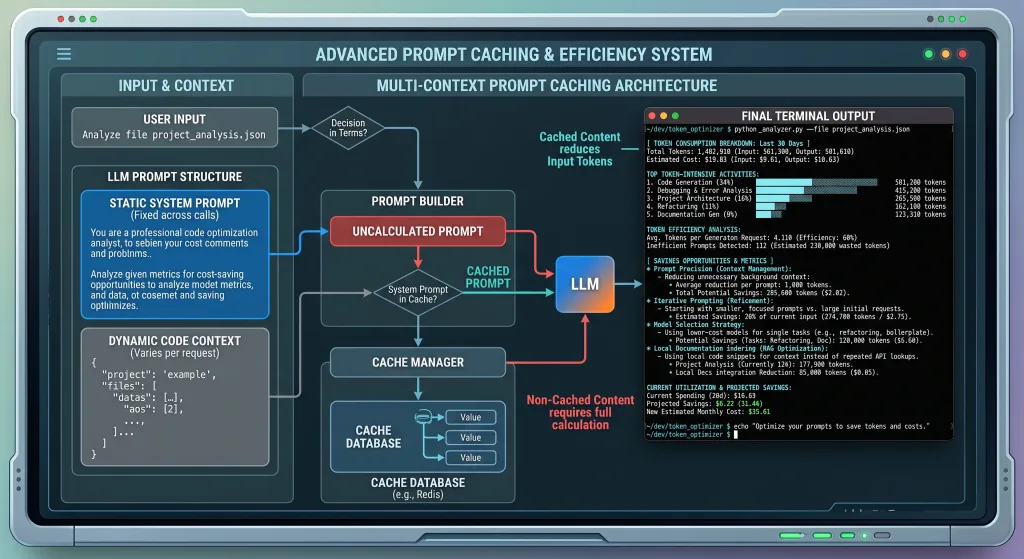
If you build custom internal tooling or run API-heavy command-line workflows, prompt caching is the single biggest leverage point in your budget.
Providers like Anthropic and OpenAI support prefix caching. When consecutive requests share an identical prompt prefix above a minimum threshold (typically 1,024 tokens), the provider serves the cached prefix at a discount—often up to 90% cheaper than normal input token rates.
[Static System Instructions]       <- Cached (90% discount)
[Repository Map / Static Docs]     <- Cached (90% discount)
---------------------------------- <- Cache Breakpoint
[Current File Context]             <- Dynamic Input
[User Query]                       <- Dynamic Input
To maximize cache hits:
- Order your prompts predictably: Place static elements (system instructions, common definitions, unchanging schemas) at the very beginning of the prompt array.
- Keep dynamic variables at the end: Never insert timestamps, changing session IDs, or volatile user state above your static code references.
- Group related tasks into a tight session window: Prompt caches usually have a time-to-live (TTL) of 5 minutes. Batching your architectural reviews or refactoring batches preserves the cache across multiple iterations.
4. Reset Conversation Sessions Aggressively
Conversational memory is a compounding liability. When you work inside an AI chat panel, every subsequent question resends the entire back-and-forth transcript: your first prompt, the model’s 800-word response, your revision, the next response, and your current question.
By turn six, a simple follow-up query carries tens of thousands of tokens of accumulated conversation history.
Get into the habit of killing the thread. The moment a feature sub-task is complete, clear the chat or hit Cmd/Ctrl + L to spin up a fresh session. If you need continuity, carry over only the specific code artifact the model produced, not the entire conversational journey it took to get there.
Strategic Token Management at a Glance
| Approach | Token Sink | Lean Strategy | Typical Savings |
|---|---|---|---|
| Code Context | Full file inclusions with helper implementations | Type signatures, exported interfaces, and repomaps | 60% – 85% |
| System Rules | Generic 500-line .cursorrules loaded globally | Directory-scoped rules focused only on API contracts | 30% – 50% |
| Chat Threads | 10+ turns of continuous iterative debugging | Clear context after each resolved sub-task | 50% – 70% |
| Model Routing | Using flagship models for basic linting & syntax fixes | Route low-complexity tasks to lightweight mini models | 70% – 90% cost drop |
5. Route Tasks to the Right Model Tier
Not every task requires a top-tier frontier model. Asking a premium model to format JSON, draft basic boilerplate, or write regex strings is burning money.
Create a tiered workflow:
- Tier 1 (Frontier Models): Architectural planning, complex multi-file refactoring, debugging subtle concurrency bugs, and initial logic generation.
- Tier 2 (Compact / Distilled Models): Docstring generation, unit test scaffolding, git commit message drafting, and syntax conversion.
Many IDE extensions allow you to switch the underlying model with a keyboard shortcut. Flipping to a fast, lightweight model for routine operations saves immense token cost without altering your development velocity.
Frequently Asked Questions
Does reducing context hurt the quality of generated code?
Context reduction only hurts quality when you remove relevant domain constraints. Flooding models with irrelevant code actually degrades performance because extraneous tokens introduce noise into the model’s attention heads. Selective, high-signal context usually improves accuracy.
How do I know if my prompt caching is working?
Inspect the usage metadata returned in your provider’s API response. For Anthropic, check cache_read_input_tokens versus cache_creation_input_tokens. For OpenAI, look for cached_tokens under prompt_tokens_details. If cached tokens read zero, your prompt prefix is likely shifting between calls.
Should I delete my .cursorrules file to save tokens?
No. Keep the file, but edit it ruthlessly. Remove conversational filler, format instructions covered by linters, and general programming advice. Keep it strictly focused on project-specific architectural rules, library choices, and uncommon internal conventions.
Are local models viable for saving tokens on coding tasks?
Yes. Running an open-weights model locally via Ollama or LM Studio for basic autocomplete, linting, and short explanations bypasses cloud token billing entirely. Reserve paid API tokens for heavy reasoning tasks your local hardware cannot execute cleanly.