
Hey everyone, Eyad here. Your phone has probably asked you a few times whether you’d like to use a passkey instead of a password, and you probably tapped Not Now. Fair enough. But the passkeys vs passwords question deserves a real answer, because one of them has been getting steadily better while the other has barely changed in decades.
Here’s how passkeys work, where they beat passwords, where they still trip people up, and how to switch without locking yourself out.
Why Passwords Keep Failing
A password is a shared secret. You know it, and the website has to verify it, so somewhere a copy or a hash of it sits on a server you don’t control. Shared secrets leak, get guessed, get reused across sites, and get typed into convincing fake login pages. None of that is a discipline problem you can fix by trying harder.
The numbers back this up, with a caveat. In Verizon’s 2026 Data Breach Investigations Report, exploiting software vulnerabilities overtook stolen credentials as the most common way into a breach, at 31%. Credential abuse fell to 13%, although the report also added a new pretexting category that absorbed some incidents that would have counted as credentials before, and phishing still sat at 16%. On the consumer side, a 2025 FIDO Alliance survey found that 36% of people had at least one account compromised because of passwords.
Software flaws are the vendor’s problem. Stolen logins are the one you can actually shut down from your own couch.
Password managers papered over this beautifully, and I’d still tell almost anyone to use one. But a manager treats the symptoms. The underlying design, a secret you hand over to be checked, stays exactly the same.
How Passkeys Work, Minus the Jargon
Passkeys flip the model. Instead of giving the site a secret, your device creates a pair of cryptographic keys. The site gets the public key. The private key stays on your device and never leaves it.
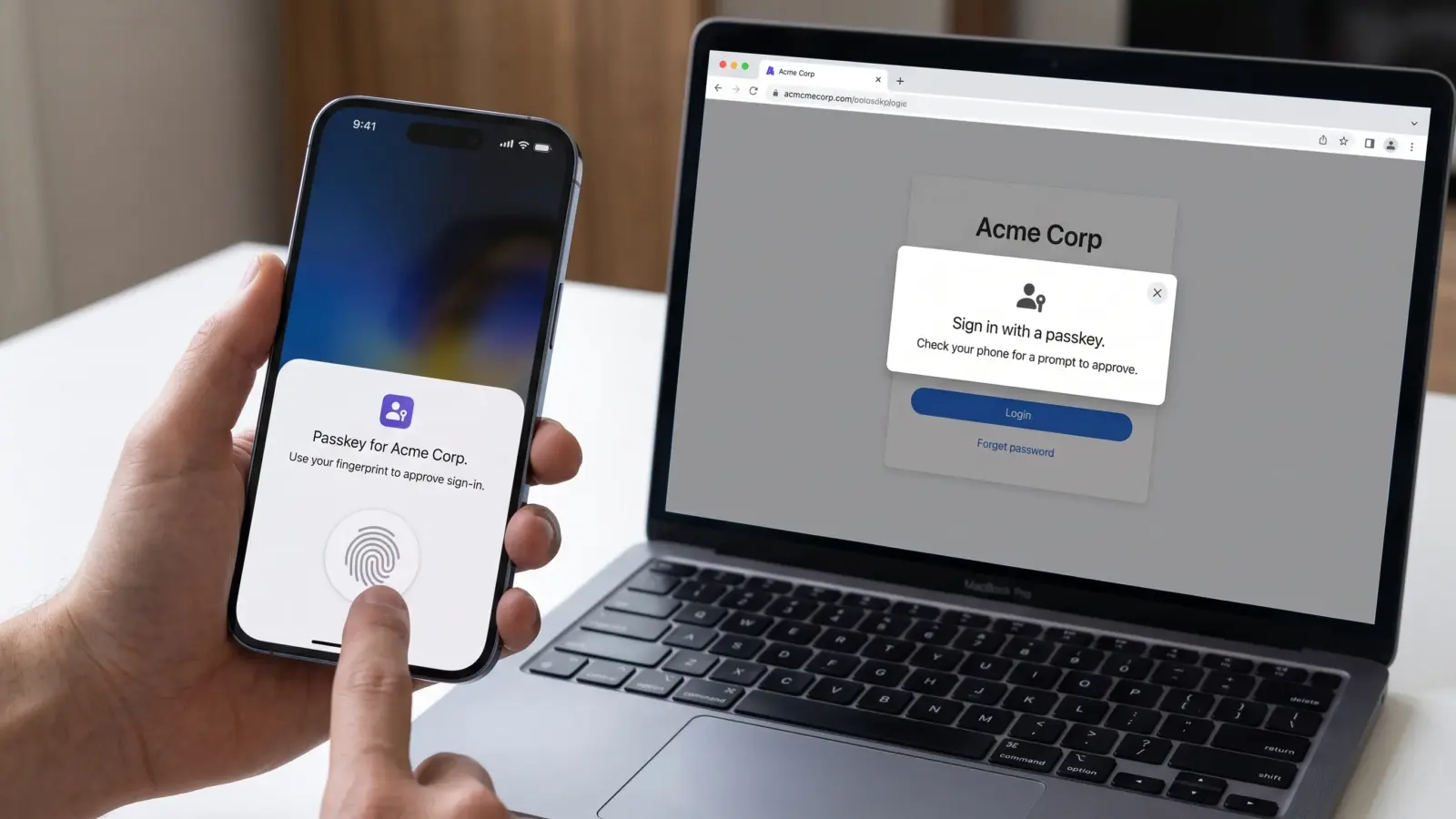
When you sign in, the site sends a challenge. Your device signs it with the private key after you approve with a fingerprint, your face, or your device PIN. The site checks the signature against the public key and lets you in. That’s the whole trick.
A few things follow from that design:
- Breaches lose their teeth. A stolen public key is useless to an attacker, so a leaked database no longer hands over your login.
- Phishing mostly stops working. A passkey is tied to the real domain, so a lookalike page can’t get a valid signature out of it.
- Nothing to remember or reuse. There’s no string for you to invent, forget, or paste into the wrong box.
Pro Tip: Your fingerprint or face is never sent to the website. It only unlocks the private key sitting on your own device.
Passkeys vs Passwords: Side by Side
Here’s how the two compare in daily use:
| Passwords | Passkeys | |
|---|---|---|
| Secret shared with the site | Yes | No, only a public key |
| Phishing risk | High | Very low, tied to the real domain |
| Damage if the site is breached | Can be severe, especially with reuse | Minimal |
| Sign-in effort | Type or autofill | Fingerprint, face, or PIN |
| Site support | Universal | Growing, still uneven |
| Sharing with family | Easy | Awkward |
| If you lose a device | Reset by email | Depends on where passkeys sync |
Passwords win on portability and familiarity. Passkeys win on nearly everything security-related, which is the part that matters when something goes wrong.
Where Passkeys Still Fall Short
I’m a fan, but they aren’t finished, and pretending otherwise would be dishonest.
- Moving between ecosystems is awkward. Passkeys usually live in Apple’s, Google’s, or Microsoft’s keychain, or inside a password manager. Moving them from one to another has been clunky, and the industry is still working on a standard fix.
- Support is uneven. Plenty of sites offer a passkey but keep the old password active as a fallback. An attacker doesn’t have to beat the passkey; they just go after the password door you left unlocked.
- Shared accounts get fiddly. A streaming login the whole family uses is easy with a password and a headache with a passkey.
- Recovery depends on your setup. If your passkeys only exist on one phone and it goes in the sea, you’re relying on each site’s account recovery, and those vary wildly.
How to Switch Without Locking Yourself Out
You don’t have to convert everything this week. A sensible order:
- Start with the accounts that matter most. Your main email, your Apple, Google, or Microsoft account, and your bank if it supports passkeys. Email comes first because it’s the recovery route for everything else.
- Decide where your passkeys will live. Either your platform keychain or a password manager. Pick one on purpose so you always know where to look.
- Test from a second device. Sign in somewhere other than the phone you created the passkey on before you trust it.
- Save your recovery codes offline. Print them or store them somewhere that isn’t the same device.
- Keep a strong, unique password in your manager for now. Retire it only after the passkey has survived a few real sign-ins.
Passkey FAQ
Are passkeys safer than passwords?
In most respects, yes. They resist phishing and make server breaches far less damaging. They aren’t magic, though: synced passkeys are only as protected as the account that syncs them, so lock that account down. If you want the strictest option, a hardware security key keeps the passkey on a single physical device.
What happens if I lose my phone?
If your passkeys sync through a cloud keychain or a password manager, they come back when you sign in on a new device. If they only lived on that one phone, you’ll need each site’s recovery process.
Do I still need a password manager?
For now, yes. Many sites don’t support passkeys yet, and several password managers can also store your passkeys, which keeps everything in one place.
Can I use a passkey on a device that isn’t mine?
Usually. Many sites let you scan a QR code with your phone to approve a sign-in on another computer, without copying anything onto it.
Is a passkey the same as two-factor authentication?
No. It replaces the password itself, and the device unlock step gives you two kinds of proof in a single tap.
The Verdict
Turn passkeys on wherever a site offers them, starting with your email. Keep your password manager for everything that hasn’t caught up. The point isn’t to rush; it’s to stop adding new passwords to the pile.
I expect passwords to become the exception before long. Until then, use both on purpose.