
I used iPhones for more than ten years. Then I switched to a Samsung Galaxy S25 Ultra, and it has been my main phone for the last couple of years.
Since the switch, the same kind of YouTube video keeps showing up in my feed. Someone with a Pixel or another Android phone walks you through the apps you need to install to get one feature. Per-app volume. Gesture shortcuts on the screen edge. A floating window for any app.
My phone already does all of that.
That pattern answers half the question. So, One UI vs Pixel: which is the best Android skin in 2026? For most people it’s One UI, Samsung’s version of Android. Pixel wins two categories that matter, though, and if those two are your priorities, a Samsung is the wrong phone for you.
What an Android Skin Actually Is
Google writes Android and gives the code away. Phone makers then add their own layer on top: a different look, extra settings, their own apps and features. That layer is called a skin.
Samsung’s skin is One UI. Xiaomi’s is HyperOS. Google’s own Pixel phones run the version closest to “plain” Android, but they come with Pixel-only extras too. So Pixel software is also a skin, just a thin one.
The skin decides how your phone feels every day far more than the Android version number does.
One UI vs Pixel at a Glance
| One UI 9 (Samsung) | Pixel (Android 17) | |
|---|---|---|
| Got Android 17 | Galaxy S26 from September 16, Galaxy S25 from September 28, 2026 | June 16, 2026 |
| Major updates promised | 7 years on Galaxy S24 and newer flagships | 7 years on Pixel 8 and newer |
| Customization | Deep, plus Samsung’s Good Lock modules | Colors, icons, and themes |
| Multitasking | Split screen, pop-up windows, DeX desktop mode | Split screen, plus Bubbles, new in Android 17 |
| Preinstalled apps | Samsung’s own apps, many next to Google’s | Mostly Google’s apps |
| Accounts | A Samsung account for many features | Your Google account covers it |
Where One UI Wins: It’s Already Built In
Multitasking Google is still catching up on
The headline feature of Android 17 is Bubbles. According to Google’s Android 17 announcement, you long-press any app icon and it becomes a small floating window on top of whatever else you’re doing.
Samsung phones have had that for years. It’s called pop-up view, and you can open several floating windows at once. Add split screen and you can have two apps side by side and a third floating on top, on a phone.
Then there’s DeX. Connect a Galaxy to a monitor and you get a desktop-style layout with resizable windows. One UI 9 made it easier to move windows between desktops, according to Samsung’s changelog as published by 9to5Google.
The same update lets you rearrange the quick settings panel and resize its brightness and volume sliders. Small changes, but they show where Samsung puts its effort: giving you more switches.
Samsung also ships a built-in automation tool, Modes and Routines. You can set “when I connect to the car’s Bluetooth, open Maps and turn up the volume” without installing anything.
Good Lock: the part nobody else has
Good Lock is a free Samsung app that installs optional add-ons, called modules. Each one unlocks deeper settings for one part of the phone. It’s official Samsung software, so there’s no rooting (hacking the phone for full system access) involved.
It used to be locked to certain countries. Since One UI 7 in 2025, Good Lock has been available in all countries and on the Play Store, though a few modules are still region-limited.
A few modules worth knowing:
- Sound Assistant: separate volume levels per app, finer volume steps, and media controls on the volume buttons.
- One Hand Operation+: swipe gestures on the screen edges for back, home, recent apps, or whatever you assign.
- Home Up and LockStar: rework the home screen and lock screen layouts.
- MultiStar: more control over split screen and pop-up windows.
Samsung said Sound Assistant was the most downloaded module, with 21 million downloads as of March 2025. One Hand Operation+ had 16 million.
Look at that list again, then think of those YouTube videos. Most of the “install these apps to get One UI features” tutorials are rebuilding a Good Lock module from third-party parts.
It’s the same philosophy KDE Plasma follows on the Linux desktop, which I covered in my GNOME vs KDE Plasma comparison. The software adapts to you, not the other way round.
Where Pixel Wins
Android updates on day one
This is Pixel’s biggest advantage, and it isn’t close.
Google released Android 17 to Pixel phones on June 16, 2026. Samsung’s version, One UI 9, debuted on the Galaxy Z Fold 8 and Flip 8 in July and reached the Galaxy S26 in September. My S25 Ultra’s generation was scheduled to start getting it on September 28, with exact timing varying by country and carrier.
That’s more than three months behind a Pixel, for a phone that was Samsung’s flagship last year. Older and cheaper Galaxy phones wait longer still.
Pixels also get Pixel Drops, feature updates every few months that don’t wait for the next big Android version. And some Pixel exclusives, like Call Screen (Google’s assistant answers unknown callers for you), are useful where they’re available.
A phone with less in the way
A new Galaxy comes with Samsung’s browser, app store, notes app, and health app sitting next to Google’s versions of the same things. None of it is harmful, but you’ll spend your first evening choosing defaults and disabling what you don’t use. I wrote a whole guide on how to debloat Android without root for exactly this reason.
Many of One UI 9’s headline AI features also ask you to sign in with a Samsung account. A Pixel only needs the Google account you already have.
If you want a phone that looks after itself and gets every Android feature first, the Pixel is the calmer choice.
Updates Are No Longer a Reason to Skip Samsung
For years, “Samsung abandons its phones” was a fair complaint. It isn’t anymore.
Samsung promises seven generations of Android upgrades and seven years of security updates on the Galaxy S24 and newer flagships, including my S25 Ultra. Google promises seven years of updates on the Pixel 8 and later.
So on a flagship it’s a tie on how long you get updates. Pixel still wins on how soon you get them.
The fine print: cheaper Galaxy A-series phones get shorter support. If update length matters to you, compare the specific model, not the brand.
On AI pricing, Samsung said in 2025 that the Galaxy AI features built into its phones would stay free. Features powered by Google or other partners follow those companies’ own pricing.
What About OxygenOS and HyperOS?
The third contender I’d normally include doesn’t exist anymore, at least not under that name.
OnePlus pulled out of the US and Europe in July 2026 and announced that it’s replacing OxygenOS with ColorOS, the skin made by its parent company OPPO. The OnePlus 15 got Android 17 in October as ColorOS 17. OxygenOS was once the enthusiast favorite: fast, clean, and full of sensible tweaks. Now it’s being phased out.
Xiaomi’s HyperOS is still very much alive. Xiaomi started the stable HyperOS 4 rollout in China on October 15, with international versions usually following a few weeks later. It’s a capable skin, but its strongest markets and best deals are mostly in Asia.
That leaves Samsung and Google as the two skins most people outside Asia will choose between. Which is why the One UI vs Pixel question matters more than it used to.
Which One Should You Pick?
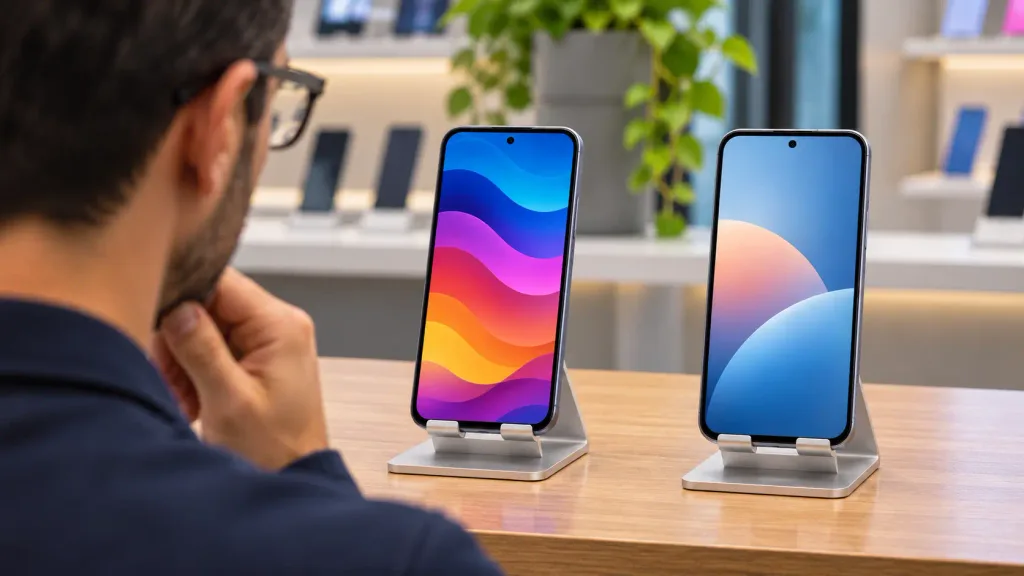
- Pick One UI if you like changing how your phone works, use multitasking, want a desktop mode, or are coming from an iPhone and want more control without giving up polish.
- Pick a Pixel if you want new Android versions on day one, prefer fewer preinstalled apps, and don’t care about deep customization.
- Either works if update length is your main concern, as long as you buy a flagship.
Pro Tip: After every big One UI update, open Good Lock before you start tweaking anything else. Modules often need their own update for the new version, and a module that hasn’t caught up yet can misbehave. Update them all, then check your settings are still where you left them.
So, Is One UI the Best Android Skin?
Yes, in 2026, for most people. It does the most out of the box, Good Lock takes it further than any other skin, and Samsung now matches Google on how long it supports its flagships.
It isn’t the best at everything. Samsung’s updates arrive months after Google’s, and the phone ships with more than you need.
But I keep coming back to those videos. Nobody makes tutorials on how to make a Galaxy feel more like a Pixel. They make them the other way round.
Frequently Asked Questions
Is One UI better than stock Android?
It depends on what you value. One UI adds far more features and settings, while Pixel’s software is simpler and gets Android updates months earlier.
Is Good Lock free and available in my country?
Yes. Good Lock is free, and since One UI 7 it’s available in all countries through the Galaxy Store and Google Play. A few individual modules are still limited to certain regions.
Do Samsung phones get updates as long as Pixels?
On flagships, yes. Galaxy S24 and newer get seven years of updates, matching Pixel 8 and newer. Cheaper Galaxy A-series phones get less.
Can I get One UI features on a Pixel?
Some of them. Android 17’s Bubbles covers floating windows, and third-party apps can add per-app volume or edge gestures. You won’t get Good Lock or DeX, though.